

:format(webp))
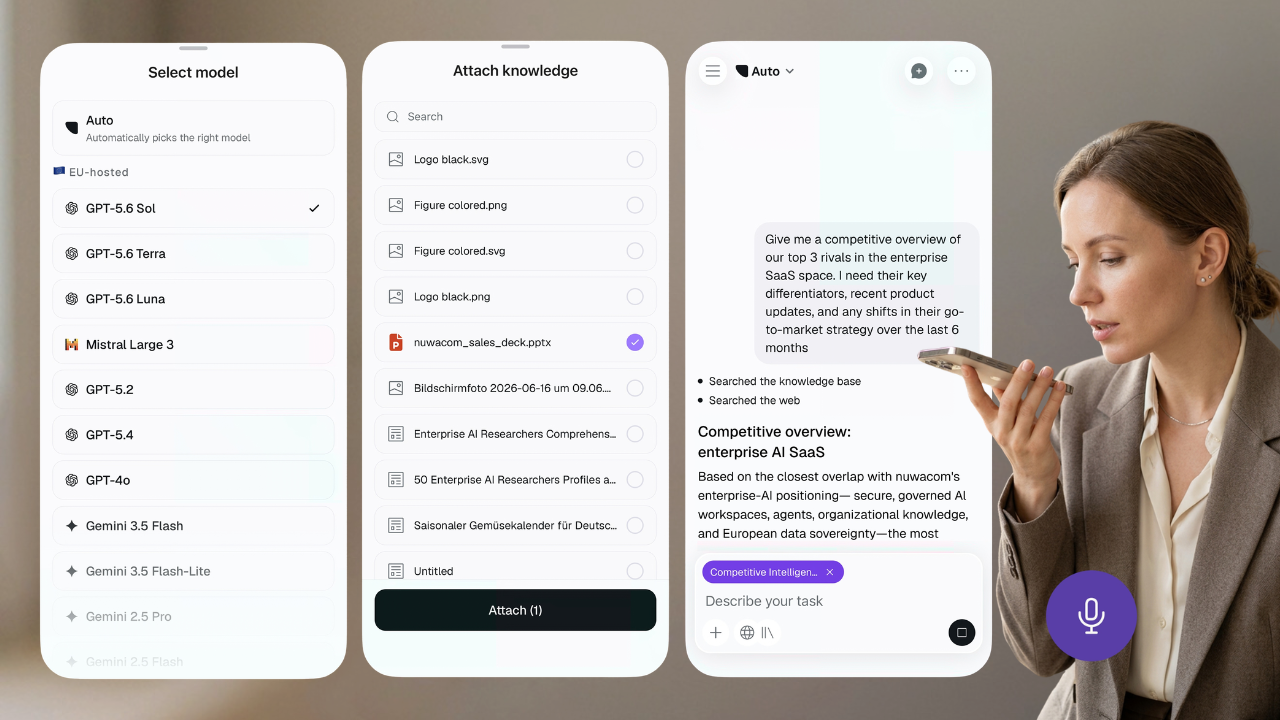
Download the nuwacom app for iOS or Android and sign in with your workspace account. You can chat with the AI model you choose, attach Company Knowledge, use your agents and skills, keep your projects going and turn spoken ideas into structured notes.
Why we built it
Lots of work questions come up away from a laptop. You might be on the way to a client, standing in a hallway before a meeting, or waiting for a train. Up to now, nuwacom only worked in the browser, so those questions had to wait. The app lets you ask them right away.
A mobile extension of your workspace
The app is not a separate place to manage work. It extends the workspace you already use.
Your organization’s context remains connected to the work you do on your phone. That means you can capture information at the moment it appears, rather than trying to remember it later or transfer it manually.
This matters because useful information rarely arrives in one convenient format. It can be a document, a conversation, a photo, a voice note or a decision made between meetings.
The nuwacom app lets you bring that information into the same workspace.
What you can do with the nuwacom app
Continue your conversations
Start a chat when a question or task comes up, and pick the AI model you want to use. You can attach Company Knowledge to the chat, which brings your organization's information into the conversation without gathering and uploading files each time.
Use your team’s agents and skills
The agents and skills available in your nuwacom workspace are also available in the app. You can use them when you are away from your desk, without recreating the work on another device.
Keep your projects moving
Create a new project or open one you already have, then keep chatting inside it. Your projects give you a place to pick up work whenever you have a few minutes, wherever you are.
Share documents and webpages
Share a webpage, PDF, document or text directly from your phone. The content opens in a nuwacom chat, where you can ask questions, summarize it or use it as context for your next task.
Add photos and files
Take a photo of a whiteboard, printed document or handwritten note. Add it to a conversation and keep working with the information while it is still relevant.
Turn a thought into a structured note
Speak your idea into the Notetaker and create a structured note in just a few taps. Whether it’s a thought after a meeting, a question to explore later, or something you don’t want to forget, you can capture it while it’s fresh. You can also open notes you’ve already created..
Available on iPhone and Android
The nuwacom app is free to download on both platforms.
You need a nuwacom account to sign in. Once you log in, the app connects to your existing workspace.
Frequently asked questions
Is the nuwacom app available for Android?
Yes. The nuwacom app is available on Google Play for Android devices.
Is the nuwacom app available for iPhone?
Yes. The iPhone app is available on the Apple App Store and requires iOS 16.4 or later.
Is the nuwacom app free?
The app is free to download on both iPhone and Android. Access to workspace features depends on your nuwacom account and plan.
Can I continue conversations from my computer?
Yes. The app connects to your existing nuwacom workspace, so you can continue conversations across devices.
Can I use nuwacom agents and skills on my phone?
Yes. Agents and skills available in your workspace can also be used from the mobile app.
Can I record meetings with the nuwacom app?
Yes. nuwacom Notetaker can record meetings from the app for up to two hours.
Can I share documents with nuwacom from my phone?
Yes. You can share webpages, PDFs, documents, text and photos into a nuwacom chat and use them as context.