










Open the chat and start the task
Open the chat and start the task “Create workflow”
AI workflow builder for teams
Automate recurring processes, coordinate multiple AI agents, and connect actions across systems as a team. From a secure AI workspace.
Build your workflow:format(webp))
Workflows save teams hours of work every week. They are ideal for repetitive tasks.
Open the chat and start the task “Create workflow”
Describe in the input field what your workflow should do. Be as clear as possible about your goal, what information should be processed, and what action should happen at the end.
After sending your prompt, the AI assistant creates a multi-step workflow for you.
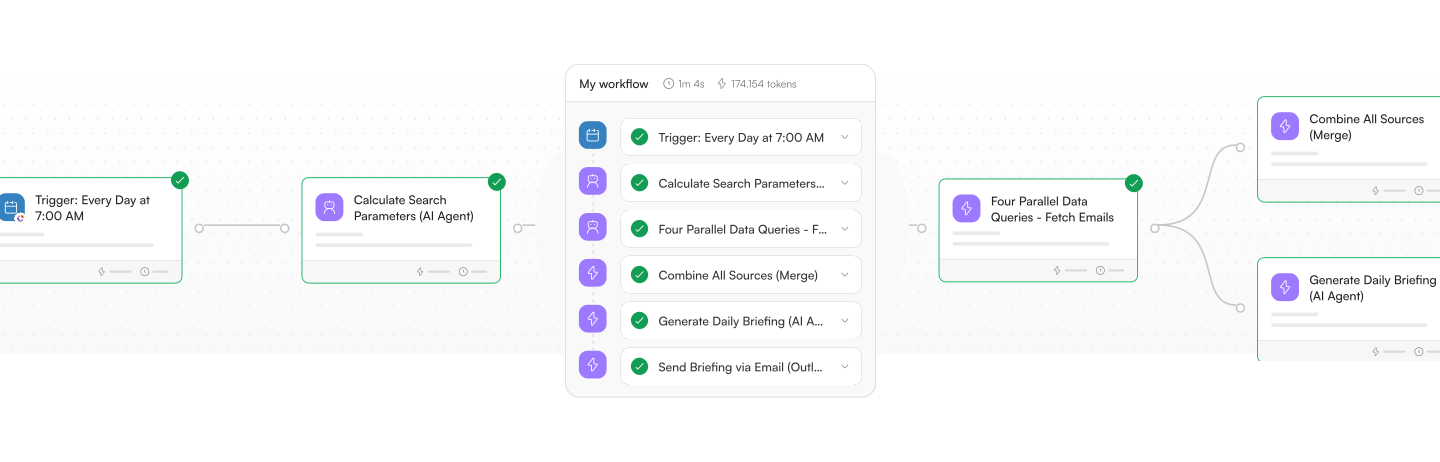
Open the workflow in the Workflow Builder to see its structure in the canvas. There, you can understand step by step how the workflow is built, how the components are connected, and where logic, agents, or integrations are used.
Once the workflow is created, you can review and adjust each step in the visual editor. Refine the process, add missing steps, or adjust existing configurations.
Before using the workflow in production, test it. This ensures that all steps run correctly and the results match your expectations.
Open the chat and start the task “Create workflow”
Describe in the input field what your workflow should do. Be as clear as possible about your goal, what information should be processed, and what action should happen at the end.
After sending your prompt, the AI assistant creates a multi-step workflow for you.
Open the workflow in the Workflow Builder to see its structure in the canvas. There, you can understand step by step how the workflow is built, how the components are connected, and where logic, agents, or integrations are used.
Once the workflow is created, you can review and adjust each step in the visual editor. Refine the process, add missing steps, or adjust existing configurations.
Before using the workflow in production, test it. This ensures that all steps run correctly and the results match your expectations.


Superagent + Connectors
Workflows reach their full potential when you activate the Superagent. It turns a plain-language instruction into a coordinated execution: assigning agents, connecting tools, applying company knowledge, and running steps in parallel.


Multi-agent coordination
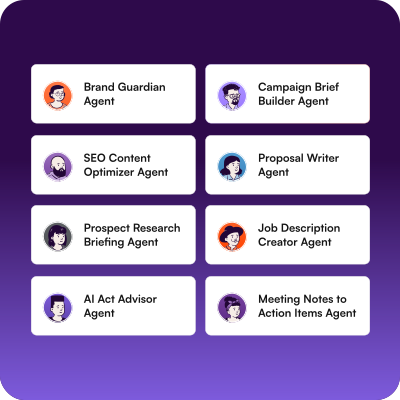
Workflows can coordinate several AI agents that hand work off to each other — one agent creates a job description, a second reviews and refines it, and the result is sent via email. All within a single flow.